Point your domain to Help4 Net
Use this when Help4 is managing DNS, CDN routing, virtual patching, WAF policy, and full-proxy coverage for the whole domain. The goal is simple: move the domain to Help4 nameservers without breaking email, SSL, or your origin site.
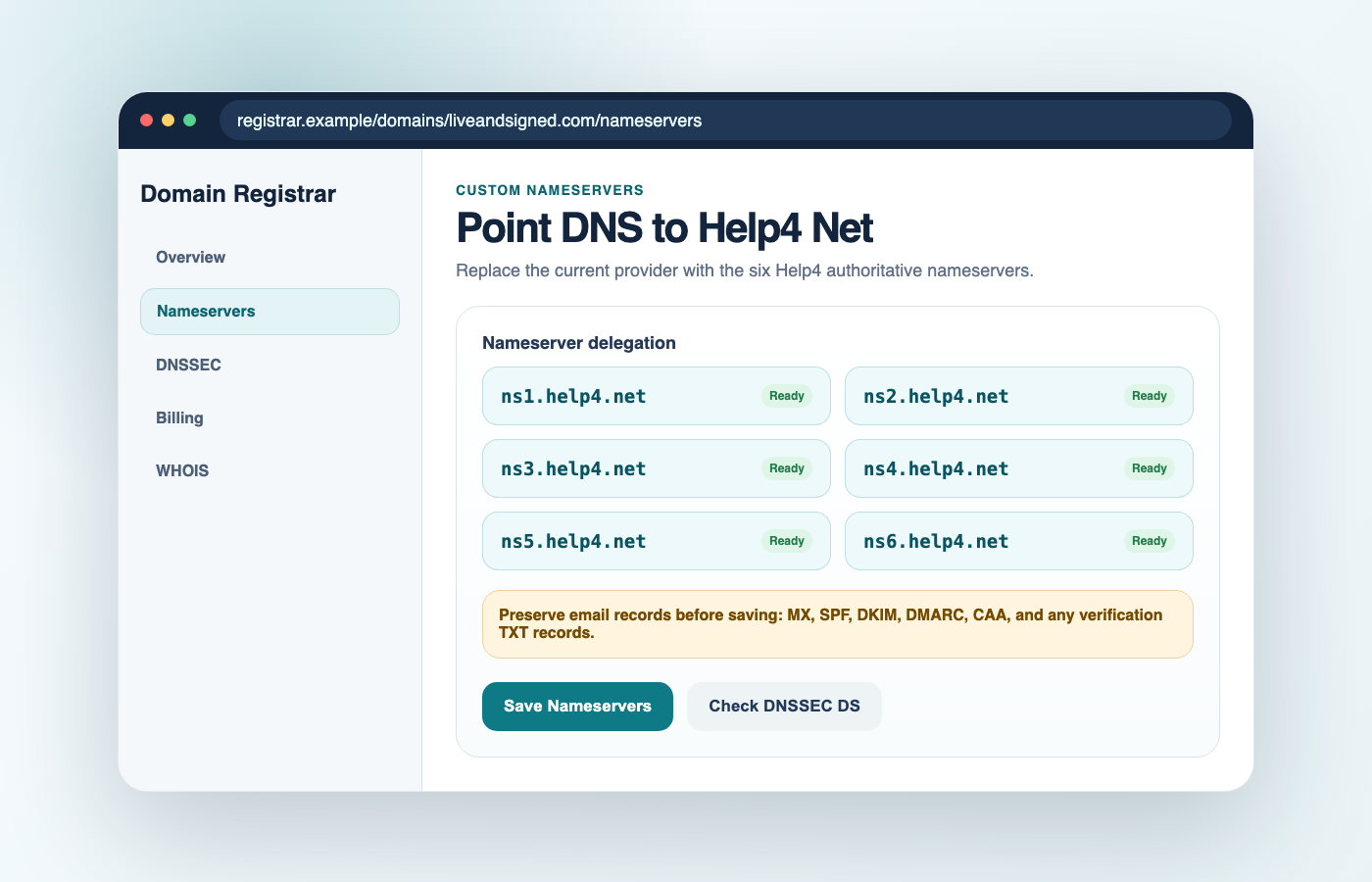
Nameservers to enter
Replace the existing registrar nameservers with all six Help4 nameservers:
ns1.help4.net
ns2.help4.net
ns3.help4.net
ns4.help4.net
ns5.help4.net
ns6.help4.net
ns1.help4.net and ns2.help4.net, then open a Help4 ticket so we can verify redundancy and registrar limits.Step-by-step registrar change
- Confirm the Help4 zone is ready.
Make sure Help4 has imported or recreated the domain's records, including web, email, verification TXT records, and any special subdomains. - Open your registrar.
Sign in where the domain registration is paid and managed. This may be different from your web host. - Find Nameservers or DNS delegation.
Look for a setting named Nameservers, DNS, Manage DNS, Delegation, or Name server settings. - Choose custom nameservers.
Do not choose forwarding or parking. Select custom nameservers, then enterns1.help4.netthroughns6.help4.net. - Save the change.
Most registrars update the registry within minutes, but recursive DNS caches can take longer to fully settle. - Tell Help4 the save is complete.
We will verify authoritative NS, SSL readiness, CDN routes, WAF profile, virtual patch policy, cache behavior, and origin fallback.
Verify the cutover
After saving the registrar change, check the authoritative nameservers:
dig +short NS example.comYou should eventually see only Help4 nameservers:
ns1.help4.net.
ns2.help4.net.
ns3.help4.net.
ns4.help4.net.
ns5.help4.net.
ns6.help4.net.
Check the website
Load the home page, a product or landing page, a post, and a file from /wp-content/uploads/. Help4 should serve traffic while keeping the origin reachable as fallback.
Check email
Send and receive a test message. If mail stops, compare MX/TXT/SPF/DKIM/DMARC records against the pre-change screenshot or export.
DNSSEC and hold checks
These two issues cause many cutover problems and they are easy to miss.
DNSSEC DS records
If the old DNS provider had DNSSEC enabled, the registrar may still publish an old DS record. Remove the old DS record before switching, or ask Help4 to provide the correct DNSSEC values after the Help4 zone is signed.
Registrar status holds
If the domain shows clientHold, serverHold, or unpaid/suspended status at the registrar, nameserver changes may not take effect until the registrar clears the hold.
Pre-change checklist
- Domain registration is paid and not suspended.
- Current DNS records are exported or screenshotted.
- MX and email TXT records are copied into Help4 DNS.
- DKIM selectors are preserved for each mail platform.
- DMARC and SPF records are preserved.
- Critical subdomains are copied.
- DNSSEC DS record is removed or coordinated.
- Origin IP and SSL status are known.
- Help4 WAF/CDN service is active.
- Someone is ready to test web and email after the save.
Common problems
| Symptom | Likely cause | What to do |
|---|---|---|
| Registrar will not save all six nameservers. | Registrar has a two- or four-NS limit. | Enter the allowed Help4 nameservers, then ask Help4 to verify delegation health. |
| Site still resolves to the old provider. | Registry update or resolver cache has not settled. | Check dig +trace example.com NS and wait for recursive caches to refresh. |
| Website works, email breaks. | MX, SPF, DKIM, DMARC, or mail subdomain records were not copied. | Restore email records from the pre-change export in Help4 DNS. |
| Some users see DNSSEC validation failures. | Old DS record still points to the old DNS provider. | Remove the old DS record at the registrar or coordinate the Help4 DNSSEC values. |
| Nameserver change does not publish. | Domain has a registrar hold or billing/suspension status. | Clear the hold with the registrar, then save the nameserver change again. |
Plugin-first alternative
If you are not ready to move nameservers, install the Help4 CDN WordPress plugin first. Plugin-first mode can rewrite approved assets to Help4 CDN and sync cache refresh requests without delegating the whole DNS zone.
Origin lockdown follow-up
After DNS routes through Help4, review origin lockdown so public users cannot accidentally bypass CDN/WAF protections by using a direct origin hostname or IP.
Manage the Enterprise zone after cutover
Enterprise clients can edit customer DNS records and choose DNS-only, proxy-only, WAF-only, or proxy plus WAF from the WHMCS client area.